Security Foundations for a Multi-Laptop Research Cluster
Posts 64-66 establish a portable dotfiles repository, a multi-laptop sync architecture, and a GPG-encrypted credential store. This post asks what that infrastructure is worth if the threat model is wrong or the controls are incomplete.
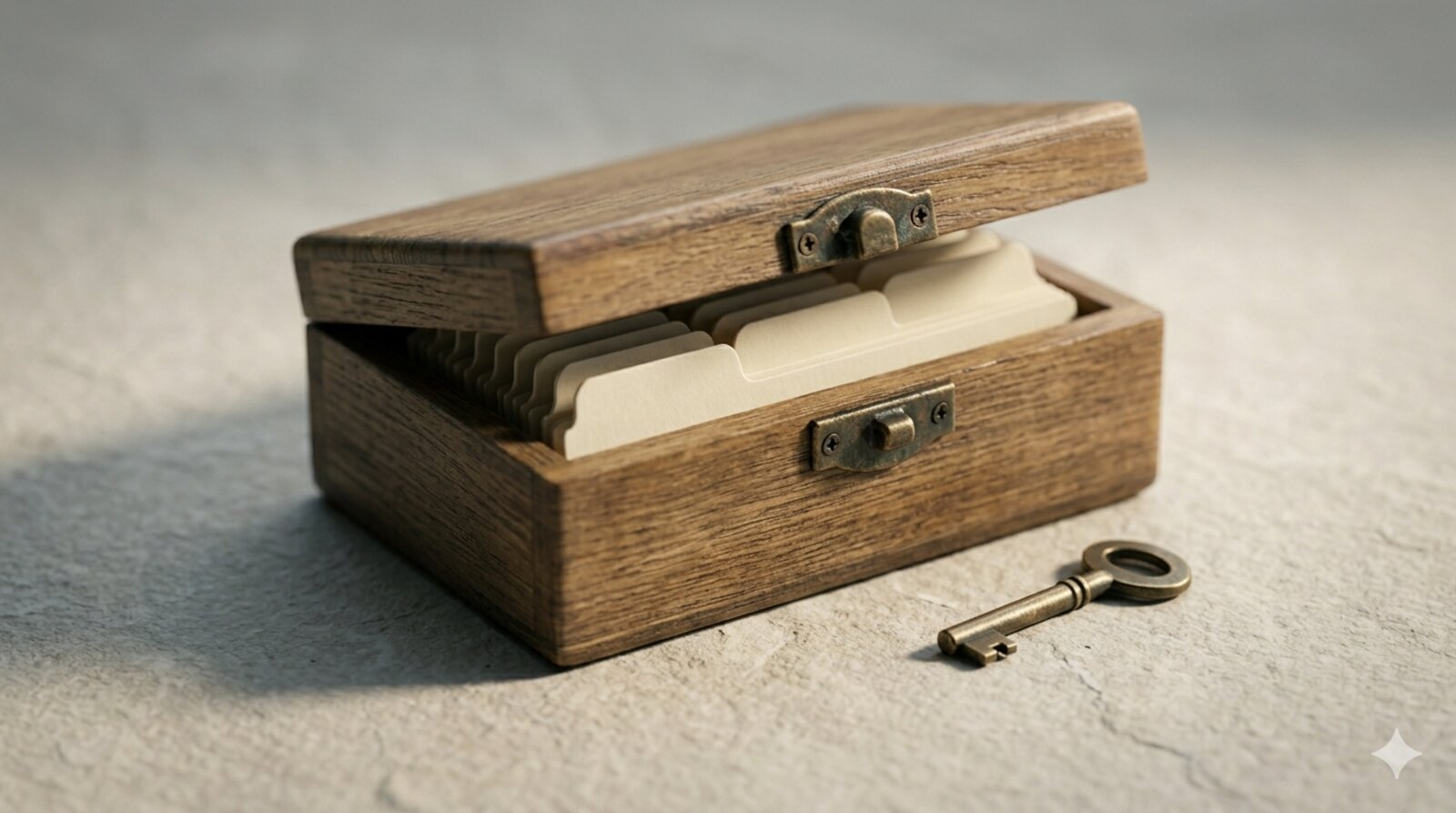
A credential store is only as strong as the machine it runs on, the key that unlocks it, and the habits that surround both.
Multi-Machine Setup Series (recommended reading order): Part 1: Migrating off Dropbox | Part 2: Multi-Laptop Bootstrap | Part 3: Security Audit
1 Introduction
I did not really appreciate how many plaintext secrets were living on my laptops until I completed the migration described in posts 64, 65, and 66. The dotfiles repository was clean, the pass store was encrypted, and the sync architecture was tidy. Then I ran a quick audit and found ~/.aws/credentials in plaintext, iCloud Universal Clipboard silently syncing pass -c output between machines, and a GPG key set to never expire sitting on a disk with no subkey architecture and no offline master key backup.
The three-layer infrastructure from posts 64-66 is sound as an organisational system. It is less clearly sound as a security system, because the posts were written primarily as operational guides and treated security as a set of footnotes rather than a first-class concern. This post addresses that gap. It defines a threat model for a personal multi-laptop research cluster, audits the controls that posts 64-66 put in place against that model, identifies the residual gaps, and provides a set of concrete mitigations ordered by impact.
This post is not a generic security hardening guide. The scope is narrow: the specific architecture of the dotfiles repository (post 65), the three-layer sync design (post 64), and the pass credential store (post 66). Security measures that do not connect to that architecture are out of scope.
1.1 Motivations
- A credential store that is correctly encrypted at the file level can still be compromised if the machine it runs on is not encrypted at the disk level, or if the decrypted key is cached in memory while the screen is unlocked.
- A GPG key with no expiration and no subkey architecture means that any compromise of the laptop exposes the master key indefinitely, with no mechanism for selective revocation across multiple devices.
- Plaintext credential files (
~/.aws/credentials,~/.npmrc, rclone tokens) may exist adjacent to the pass store, providing easier attack vectors than the encrypted store itself. - A multi-machine setup creates surfaces that a single-machine setup does not: a clipboard manager syncing across devices via iCloud, shared SSH private keys that provide no selective revocation, and a dotfiles repository whose compromise reveals the entire configuration of every machine.
- Security controls that are not periodically verified decay silently. A GPG key renewal reminder that was never added to a calendar, a pass store that was not audited after a service breach, and FileVault that was disabled during a disk repair and not re-enabled are all examples of controls that existed in intention but not in fact.
1.2 Objectives
- Verify that the full-disk encryption, GPG agent, and credential store controls identified in posts 64-66 are actually in place on every machine in the cluster.
- Implement the GPG subkey architecture so that the master private key is not present on any laptop’s disk during daily operation.
- Audit all plaintext credential files and migrate them to pass using the
pass_envretrieval pattern. - Establish a quarterly review procedure that checks the key controls before they decay.
This post documents the author’s own implementation. Controls missed or threats miscategorised are worth noting in the comment thread below.
2 What is the Threat Model?
A threat model is a structured answer to three questions: what are we protecting, from what, and with what controls? For a personal multi-laptop research cluster, the answers are as follows.
2.1 What We Are Protecting
- Credentials: passwords, API keys, SSH private keys, GPG private keys, OAuth tokens, TOTP secrets.
- Configuration: the dotfiles repository reveals the structure of the entire environment. An attacker who can read it knows which services you authenticate to, which scripts run on schedule, and which paths hold sensitive data.
- Research data: not addressed in this post; the focus is on the credential and configuration layer.
2.2 Threat Actors and Scenarios
This is a personal, not enterprise, cluster. The realistic threats are:
- Physical theft of a laptop, unlocked or locked.
- Remote compromise via a phishing credential, a malicious package, or a vulnerability in a running service.
- Accidental exposure via a public git commit, an email attachment, or a cloud sync of a plaintext file.
- Credential reuse following a service breach that exposes a password used elsewhere.
Nation-state actors, supply-chain attacks on Homebrew itself, and hardware-level firmware attacks are out of scope for this post. They are real threats but require controls beyond what a setup blog addresses.
2.3 The Control Layers
The three-layer architecture from post 64 maps onto a security layering as follows:
| Layer | What it holds | Primary control | Residual risk |
|---|---|---|---|
| Disk | Everything | FileVault (AES-256) | Unlocked laptop; memory attacks |
| Credentials | Passwords, tokens | GPG encryption via pass | Weak passphrase; no subkeys |
| Configuration | Dotfiles, scripts | Private git repo | Repo compromise; path disclosure |
| Network | Sync traffic | SSH; HTTPS | Weak SSH keys; clipboard leaks |
Controls at each layer are independent. A failure at one layer does not automatically defeat the others, but a sufficiently motivated attacker who finds a gap at any layer can potentially reach the layers above it.
3 Prerequisites
This post assumes:
- Posts 64, 65, and 66 completed. The dotfiles repository is at
~/dotfiles/, the pass store is at~/.password-store/, and the three-layer sync architecture is in place or in progress. - Operating system: macOS 13+ on all machines in the cluster.
- Time required: approximately 2-3 hours for the initial audit and control implementation; 30 minutes per quarter for the periodic review.
If posts 64-66 are not yet complete, the controls described here have no infrastructure to attach to. Complete the operational setup first.
4 Control 1: Full-Disk Encryption (FileVault)
FileVault is a prerequisite for every other control in this post. A laptop with FileVault off and a pass store is less secure than a laptop with FileVault on and a plaintext password file, because without disk encryption the entire filesystem (including the GPG agent’s memory-mapped files and the private key in ~/.gnupg/) is readable if the physical device is obtained.
Verify on each machine:
fdesetup status
# Required output: FileVault is On.
If FileVault is off, enable it before proceeding. The initial encryption takes 30-60 minutes and runs in the background.
FileVault does not protect an unlocked, unattended machine. Set the screen lock timeout to 1 minute (System Settings → Lock Screen → ‘Require password after screen saver begins or display is turned off’). On a shared desk or open office, shorter is better.
5 Control 2: GPG Subkey Architecture
The setup in post 66 creates a single key pair used for both certification and encryption. The correct architecture separates these roles.
5.1 The Problem with a Single Key
When the master key is used for daily encryption (the post-66 default), it must remain on the laptop’s disk. If the disk is compromised despite FileVault (via an unlocked session, a remote exploit, or a memory attack), the attacker has the master private key: they can sign new subkeys on your behalf, re-encrypt your pass store to a key they control, and impersonate you to any GPG web of trust indefinitely.
5.2 The Subkey Architecture
The correct model has three key components:
- Master key (certify only): created once, used only to sign new subkeys and revocation certificates, then moved to offline storage (an encrypted USB drive in a physical safe, or a hardware security key). After this move, the master secret key is deleted from the laptop’s keyring.
- Encryption subkey: used by
passfor all daily encrypt/decrypt operations. Has its own expiry (1-2 years). If this subkey is compromised, the master key (offline) can revoke it and sign a replacement. - Signing subkey (optional): used for
git commit --gpg-signand email signing.
5.3 Creating a Subkey
For an existing key from post 66, add a dedicated encryption subkey now:
# Edit the key interactively
gpg --expert --edit-key your@email.address

# At the gpg> prompt:
addkey        # adds a new subkey
# Select: (12) ECC (encrypt only)
# Curve: Curve 25519
# Expiry: 1y
save
Verify the subkey appears:
gpg --list-keys --with-subkey-fingerprint your@email.addressThe output will show the master key (pub) and the subkey (sub).
5.4 Moving the Master Key Offline
# Export master + subkeys to an encrypted backup medium
gpg --export-secret-keys --armor your@email.address \
  > /Volumes/EncryptedUSB/gpg-master-backup.asc

# Export only the subkeys for the laptop keyring
gpg --export-secret-subkeys --armor your@email.address \
  > /tmp/subkeys-only.asc

# Delete the master secret key from the laptop
gpg --delete-secret-key your@email.address

# Re-import only the subkeys
gpg --import /tmp/subkeys-only.asc
rm /tmp/subkeys-only.asc   # plaintext; delete immediately
Verify the master secret key is gone:
gpg --list-secret-keys your@email.address
# The master key line should show 'sec#' (not 'sec')
# The '#' indicates the secret key is not available
pass continues to work using the encryption subkey. The master key is needed only when signing a new subkey, which happens at most once every 1-2 years.
6 Control 3: Per-Machine SSH Keys
Post 65’s bootstrap sequence says ‘Restore ~/.ssh from secure storage.’ For SSH private keys, restoration from backup is the wrong model.
Each machine should generate its own SSH key pair:
# On each new machine, generate a unique key
ssh-keygen -t ed25519 -C "$(hostname)-$(date +%Y%m)"
# Example comment: MacBook-Pro-2026-0517
Then add the public key explicitly to each service and server that requires access (github.com, any self-hosted git server, remote VPS). The comment in the key makes it clear which machine generated it.
When a machine is retired, decommissioned, or compromised, remove only that machine’s public key from the authorised list. Every other machine continues to work without re-keying.
Contrast this with the copy-and-restore model: if ~/.ssh/id_ed25519 is the same private key on all machines, any single-machine compromise requires rotating every service credential simultaneously. There is no surgical revocation.
Audit your current state:
# List all keys authorised on GitHub
gh api user/keys --jq '.[].title'

# Check which machines have identical key fingerprints
# (run on each machine and compare)
ssh-keygen -lf ~/.ssh/id_ed25519.pub
If all machines show the same fingerprint, the key has been shared and should be rotated: generate a new key per machine, register each one, then delete the shared key from all services.
7 Control 4: Plaintext Credential Audit
The pass store is encrypted. Files adjacent to it are often not. Run the following audit on each machine:
# Find candidate plaintext credential files
ls -la ~/.aws/credentials 2>/dev/null
ls -la ~/.npmrc 2>/dev/null
ls -la ~/.config/rclone/rclone.conf 2>/dev/null
ls -la ~/.netrc 2>/dev/null
grep -r "token\|secret\|password\|key" ~/.config/ \
  --include="*.conf" --include="*.ini" -l 2>/dev/null | head -20
For each file found, migrate the sensitive values to pass and retrieve them on demand via a shell function. The general pattern:
# Store once
pass insert aws/access-key-id
pass insert aws/secret-access-key

# Retrieve per session via a shell function in ~/.zshrc
aws_env() {
  export AWS_ACCESS_KEY_ID=$(pass aws/access-key-id)
  export AWS_SECRET_ACCESS_KEY=$(pass aws/secret-access-key)
}
After confirming the function works, remove the plaintext file:
rm ~/.aws/credentialsThe same pattern applies to ~/.npmrc (npm registry tokens), ~/.config/rclone/rclone.conf (OAuth tokens), and any ~/.env file containing API keys. After migration, the ~/dotfiles repository can safely track the structure of ~/.aws/config (region, output format) without any secret values.
Some tools (AWS CLI, rclone) support pointing at an external credential helper instead of a file. Post 66’s shell-function approach is the minimal implementation; a proper credential helper integration is more robust for tools that are called from scripts or launchd jobs where the shell function is not available.
8 Control 5: Clipboard Security
pass -c copies a password to the clipboard and clears it after 45 seconds. This control is bypassed by any clipboard manager running on the system.
Inventory clipboard managers on each machine:
# Check running clipboard tools
ps aux | grep -i "alfred\|raycast\|clipmenu\|clipboard" \
  | grep -v grep
iCloud Universal Clipboard is the most commonly overlooked vector. If two machines are signed into the same Apple ID and ‘Handoff’ is enabled (System Settings → General → AirDrop and Handoff), every clipboard copy on one machine appears on the other within seconds. This includes the output of pass -c.
Disable Universal Clipboard:
# Verify current setting (1 = enabled)
defaults read ~/Library/Preferences/com.apple.coreservices.useractivityd.plist \
  ActivityAdvertisingAllowed 2>/dev/null
Or via System Settings → General → AirDrop and Handoff → uncheck ‘Handoff’.
For third-party clipboard managers (Alfred, Raycast): configure them to exclude clipboard entries from applications named pass or gpg, or disable clipboard history entirely. Both Alfred and Raycast have per-application exclusion lists in their preferences.
9 Control 6: Dotfiles Repository Hardening
The dotfiles repository in post 65 is a private GitHub repository. It deserves its own access controls.
Verify repository visibility:
gh repo view rgt47/dotfiles --json isPrivate --jq .isPrivate
# Required: true
Enable branch protection on main:
gh api repos/rgt47/dotfiles/branches/main/protection \
  --method PUT \
  --field required_status_checks=null \
  --field enforce_admins=true \
  --field required_pull_request_reviews=null \
  --field restrictions=null
This prevents force-pushes to main, which could silently replace the deployed configuration with a backdoored version.
Audit GitHub access tokens:
Every machine that pushes to the dotfiles repository uses an SSH key. Those keys should be per-machine (Control 3). Review the authorised keys periodically:
gh api user/keys --jq '.[] | {id: .id, title: .title}'Remove any key whose associated machine has been retired or compromised.
10 Control 7: GPG Agent Cache TTL
The GPG agent caches the decrypted private key in memory after the first successful passphrase entry. The default cache time is 600 seconds. An unlocked machine during that window exposes all pass operations without a passphrase prompt.
Post 66 configures ~/.gnupg/gpg-agent.conf with pinentry-mac and TTL settings. Verify the file is in place and correct on each machine:
cat ~/.gnupg/gpg-agent.confExpected content:
pinentry-program /opt/homebrew/bin/pinentry-mac
default-cache-ttl 300
max-cache-ttl 600
Adjust default-cache-ttl downward for machines used in more public settings. A research office is different from a home office.
After editing gpg-agent.conf, reload the agent:
gpg-connect-agent reloadagent /bye11 Periodic Review Procedure
The controls above are point-in-time. They decay: GPG keys expire, SSH keys accumulate on old servers, plaintext credential files reappear after tool reinstalls, FileVault gets disabled during disk maintenance. A quarterly 30-minute review prevents drift.
11.1 Quarterly Checklist
Run on each machine in the cluster. Estimated time: 20-30 minutes.
Disk and system:
# 1. FileVault status
fdesetup status

# 2. Screen lock timeout (verify <= 60s)
defaults read com.apple.screensaver askForPasswordDelay
GPG:
# 3. Key expiry (check for keys expiring within 90 days)
gpg --list-keys --with-colons | grep "^pub" | \
  awk -F: '{print $7, $10}'

# 4. Confirm master key is offline (sec# not sec)
gpg --list-secret-keys your@email.address | grep "^sec"
SSH:
# 5. List authorised keys on GitHub; confirm no stale entries
gh api user/keys --jq '.[] | {id, title}'

# 6. Confirm each machine has a unique key fingerprint
ssh-keygen -lf ~/.ssh/id_ed25519.pub
Credentials:
# 7. Scan for plaintext credential files
for f in ~/.aws/credentials ~/.npmrc ~/.netrc; do
  [[ -f "$f" ]] && echo "FOUND plaintext: $f"
done

# 8. Audit the pass store for stale entries
pass ls | head -40
# Remove entries for services no longer in use:
# pass rm defunct/service
Dotfiles repository:
# 9. Confirm repository is private
gh repo view rgt47/dotfiles --json isPrivate --jq .isPrivate

# 10. Verify no sensitive files have been accidentally staged
cd ~/dotfiles && git status && git log --oneline -5
Pass store:
# 11. Confirm pass store is not inside a cloud-mounted path
ls -la ~/.password-store
# Should NOT resolve to ~/Library/CloudStorage/...
readlink ~/.password-store 2>/dev/null || echo "not a symlink (correct)"

# 12. Confirm pass store git remote is self-hosted (not GitHub)
pass git remote -v
Save this checklist as analysis/configs/security-audit.sh and run it with bash security-audit.sh each quarter. Add a calendar reminder labelled ‘pass + dotfiles security audit’.
12 Things to Watch Out For
sec#after moving the master key offline can becomesecagain. Some GPG operations andgpg --importsequences will silently re-import the master secret key if the backup.ascfile is accessible. After moving the master key offline, verifysec#immediately and again after anygpg --importoperation.Subkey expiry is not the same as master key expiry. If the encryption subkey expires and only the master key is extended,
passwill fail to encrypt new entries with a misleading error. Track subkey and master key expiries separately;gpg --list-keysoutput shows both dates.Per-machine SSH keys require explicit registration on every service. Adding a second machine requires registering its public key on GitHub, every self-hosted server, and any other SSH destination. Missing one is easy and produces an afternoon of debugging what appears to be a network problem.
iCloud Universal Clipboard is enabled by default. The Handoff setting is on by default on every new Mac. It is not labelled ‘clipboard sync’ in System Settings; the label is ‘Handoff’. Every post-66 macOS user running
pass -cshould verify this setting before first use.The pass store git history reveals credential metadata even if the ciphertext is safe. The git log shows when each
.gpgfile was created, modified, or deleted. An attacker who compromises the git remote learns which services you have accounts with and when you last rotated credentials. For the most sensitive entries, consider managing them outside the git- tracked store.gpg-agent --daemoncan run stale after a system update. If passphrase prompts stop appearing or appear inconsistently after a macOS update, the running agent may be using a differentpinentry-macbinary than the one configured. Restart the agent:gpgconf --kill gpg-agent, then run apasscommand to start a fresh agent instance.
13 Uninstall / Rollback
These controls do not require installation in the traditional sense, but they can be reversed.
Reverting to a single key (undoing the subkey migration):
# Re-import the master secret key from offline backup
gpg --import /Volumes/EncryptedUSB/gpg-master-backup.asc
# Verify: gpg --list-secret-keys should now show 'sec' not 'sec#'
Reverting per-machine SSH keys:
Replace per-machine keys with a shared key by generating a new shared key, adding it to all services, and revoking the individual machine keys. This is not recommended but is reversible.
Re-enabling Universal Clipboard:
System Settings → General → AirDrop and Handoff → re-enable Handoff.
14 What Did We Learn?
14.1 Lessons Learnt
Conceptual:
- Security controls and operational procedures are not the same thing. A well-organised three-layer architecture is a sound operational design; whether it is secure depends on a separate analysis of what it needs to protect and from what.
- Defence in depth means that a failure at one layer does not defeat the system. FileVault, GPG subkeys, per-machine SSH keys, and a pass store are independent controls; strengthening any one of them is worthwhile even if the others are imperfect.
- The most common security failures in personal clusters are not sophisticated attacks but defaults: FileVault off, Universal Clipboard on, a single shared SSH key, and plaintext credentials left in place after a tool is installed.
Technical:
- The
sec#indicator ingpg --list-secret-keysis the confirmation that the master key has been successfully moved offline; it is the only reliable test. gpg --export-secret-subkeysexports only subkeys, leaving the master key in the backup. This is the correct command for populating a new machine’s keyring without moving the master key there.- Ed25519 SSH and GPG keys are smaller, faster, and free of the timing side-channels that affect RSA. For new keys in 2026, there is no reason to use RSA.
- The quarterly checklist converts a set of one-time controls into a recurring process. Controls that are not periodically verified are controls in name only.
Gotchas:
- Moving the master GPG key offline is irreversible in practice: the steps exist to re-import it, but the backup medium may be unavailable. Test the backup restore procedure on a non-primary machine before deleting the master key from the primary.
rm ~/.aws/credentialsdoes not overwrite file content on APFS. With FileVault enabled, the block is protected at rest but not in transit if the disk image is copied. Treatrmas ‘removes the directory entry’ rather than ‘destroys the data’.- Per-machine SSH key registration is work. The productivity cost of setting up a new machine is higher with per-machine keys than with a shared key. That cost is the price of selective revocation.
14.2 Limitations
- This post covers macOS only. Linux equivalents exist for every control (LUKS for full-disk encryption, systemd-credential for agent caching, per-distribution clipboard managers) but are not addressed here.
- Hardware security keys (YubiKey) are not covered. They are the logical next step after the subkey architecture and provide a physical second factor for all GPG and SSH operations. The setup procedure is beyond this post’s scope.
- Remote access to the cluster is not addressed. If any machine runs an SSH server, its configuration (allowed authentication methods, port, fail2ban or equivalent) is a significant attack surface not covered here.
- The threat model excludes supply-chain attacks. A malicious Homebrew package or a compromised dependency could bypass every control described here. Addressing supply-chain risk requires package signing verification, reproducible builds, and trust anchors that are out of scope for a personal cluster.
- This is a point-in-time design. The threat landscape evolves. The controls appropriate for 2026 may need revision in two years, which is why the quarterly review procedure matters more than any individual control.
14.3 Opportunities for Improvement
- Implement hardware security key support (YubiKey 5 or similar) so the GPG private key never exists in software, even as a cached subkey. The subkey architecture in Control 2 is a prerequisite for this step.
- Extend the quarterly checklist to a proper
security-audit.shscript that exits non-zero on any failing check, suitable for running as a launchd job or a GitHub Actions scheduled workflow. - Add
pass-otpfor TOTP secrets. Storing TOTP seeds encrypted in pass is significantly better than a standalone authenticator app with no backup;pass-otpaddspass otp servicenamesupport to the existing store. - Investigate
passage(theage-based successor topass) orgopassfor long-term maintenance.passhas had no security updates since 2018; a maintained fork is worth evaluating for any new deployments. - Document the revocation procedure: what to do if a laptop is stolen, including which SSH keys to revoke, whether to rotate the GPG encryption subkey, and how to audit the pass store for credentials that may have been exposed during the window between theft and revocation.
15 Wrapping Up
Posts 64, 65, and 66 established a portable, three-layer infrastructure for a multi-laptop research environment. This post asked the subsequent question: is that infrastructure secure? The answer is ‘it can be, with additional controls.’ Those controls are not difficult, but they do not happen by default.
The highest-leverage actions, in priority order: enable FileVault on every machine, move the GPG master key offline using the subkey architecture, generate per-machine SSH keys, and audit adjacent plaintext credential files. Any one of these steps is an improvement; together they represent a significant reduction in the residual attack surface of the three-layer architecture.
In conclusion, five points merit emphasis. First, FileVault is a prerequisite, not an option; it must be verified on before any encrypted credential store is trusted. Second, the GPG subkey architecture (master key offline, daily use via the encryption subkey) is the difference between a compromise that requires revoking one subkey and one that compromises the master identity permanently. Third, per-machine SSH keys provide selective revocation whereas a shared key does not; the operational cost is justified. Fourth, iCloud Universal Clipboard is on by default and silently transmits pass -c output across devices; it should be checked before first use. Fifth, a quarterly 30-minute audit is worth more than any individual control, because controls that are not periodically verified have a way of quietly failing.
16 See Also
Posts in this series:
- Post 64, Migrating Off Dropbox: Beyond Dotfiles: the three-layer architecture that this post’s controls attach to.
- Post 65, Multi-Laptop macOS Bootstrap: the dotfiles repository and
install.shwhose access controls are addressed in Control 6. - Post 66, Setting Up pass: a Unix Password Manager: the credential store whose GPG architecture is extended in Controls 2 and 7.
Key resources:
- GnuPG subkeys: the Debian wiki’s treatment of the subkey architecture is the clearest available reference.
- pass-otp: TOTP support for the pass store.
- passage: an
age-based fork of pass under active maintenance. - YubiKey and GPG: Yubico’s guide to moving GPG keys to hardware.
- Have I Been Pwned: a periodic check of whether any service credential has appeared in a known breach; useful input to the pass store audit step.
17 Reproducibility
Tested configuration:
| Component | Version |
|---|---|
| Operating system | macOS 15.4 (Sequoia) |
| gnupg | 2.4.x |
| pass | 1.7.4 |
| openssh | 9.x |
| gh CLI | 2.x |
| Shell | zsh 5.9 |
| Last verified | 2026-05-31 |
Configuration artifacts:
analysis/configs/security-audit.sh: the quarterly review script (the inline checklist above, assembled into a runnable file)analysis/configs/gpg-agent.conf: referencegpg-agent.confwithpinentry-macand TTL settings
18 Let’s Connect
Have questions, suggestions, or spot an error? Let me know.
- GitHub: rgt47
- LinkedIn: Ronald Glenn Thomas
- Email: rgthomas47@gmail.com
I would enjoy hearing from you if:
- You identify a control gap in the threat model above.
- You have implemented hardware security key support and want to compare notes on the setup procedure.
- You use a different OS and want to extend the checklist to Linux.
Rendered on 2026-05-17 at 09:46 PDT.
Source: ~/prj/qblog/posts/67-multi-laptop-security/multi-laptop-security/analysis/report/index.qmd