Research Backup Architecture: Borg, Cloud Copies, and Time Machine
This post is a work in progress and may change.

Three copies, two kinds of media, one off site: the rule is old, and the hard part is knowing that all three are still current.
A review of the fleet’s backups in November found failures this post did not anticipate, and some of its statements are no longer true. The changes, made in the body below:
- Monitoring. Borg now sends a push notification when a run fails, and Time Machine has a staleness alert. The cloud copies still have no alert, and they were the tier that failed most.
- Tier 2. Three new hazards: authorizations that expire silently, a mirror that faithfully copies an empty source, and manual runs that leave no log. The wrapper now refuses an empty source and caps deletions per run, and stores links instead of following them.
- Tier 3. Time Machine needs a client that is awake and unlocked. A sleep timer and then the lock screen each broke it, one sleep-interrupted night corrupted the backup image, and an earlier 21-day gap with no completed backup went unnoticed.
- Retention. The repositories’ current size, and the first quarterly prune, which is not yet due.
- What broke and Things to Watch Out For gain the November incidents. The off-site Borg copy remains open.
Introduction
A research workstation accumulates material that cannot be regenerated: analysis code between commits, derived datasets that took days to compute, manuscripts in progress, and the credentials that unlock everything else. Version control protects some of this, but only what has been committed and pushed, and only the files that belong in a repository. A backup architecture covers the rest.
Part 5 of the security series; start with Security Foundations for a Multi-Machine Research Fleet for the overview.
This post describes the backup architecture of a five-machine fleet: three Macs (julia, the primary workstation; athena, a laptop; joe, a secondary Mac), a Linux laptop (zeus), and a home server (mercury, a repurposed 2016 MacBook Pro running Linux Mint). It follows the familiar 3-2-1 rule with three independent mechanisms, each chosen for a different failure:
- Borg archives every machine nightly to the home server, encrypted, deduplicated, and versioned.
- Cloud copies mirror the project tree from the two main Macs to three cloud providers each night.
- Time Machine keeps a full, encrypted, browsable history of the laptop on a network share.
The design matters less than the operation. Every failure described near the end of this post was a backup that was scheduled, configured, and apparently working, and that had stopped doing its job. None of them produced an alert. All of them were found by reading logs and exit statuses by hand.
Motivations
- Git protects committed work, not the working tree, untracked data, or the dotfiles that hold credentials.
- A sync service is not a backup: it faithfully propagates deletions and corruption to every copy.
- A laptop can be lost, stolen, or wiped in an afternoon; the cost of recovery should be hours, not weeks.
- Credentials for one tier must not unlock another, so that a single compromised machine cannot destroy every copy.
- Backups that fail silently are worse than none, because they produce false confidence.
Objectives
- Every machine is archived nightly to encrypted, versioned storage on the home server, through a key that can add data but not delete it.
- The project tree on the main workstations has independent off-site copies with a recoverable history of deleted files.
- The laptop has a full system history suitable for a bare-metal restore, encrypted at rest.
- Old archives are pruned on a documented schedule without placing decryption keys on the storage host.
- Each tier is verified by restoring from it, and each job’s exit status is checked daily on every machine.
What is a Research Backup Architecture?
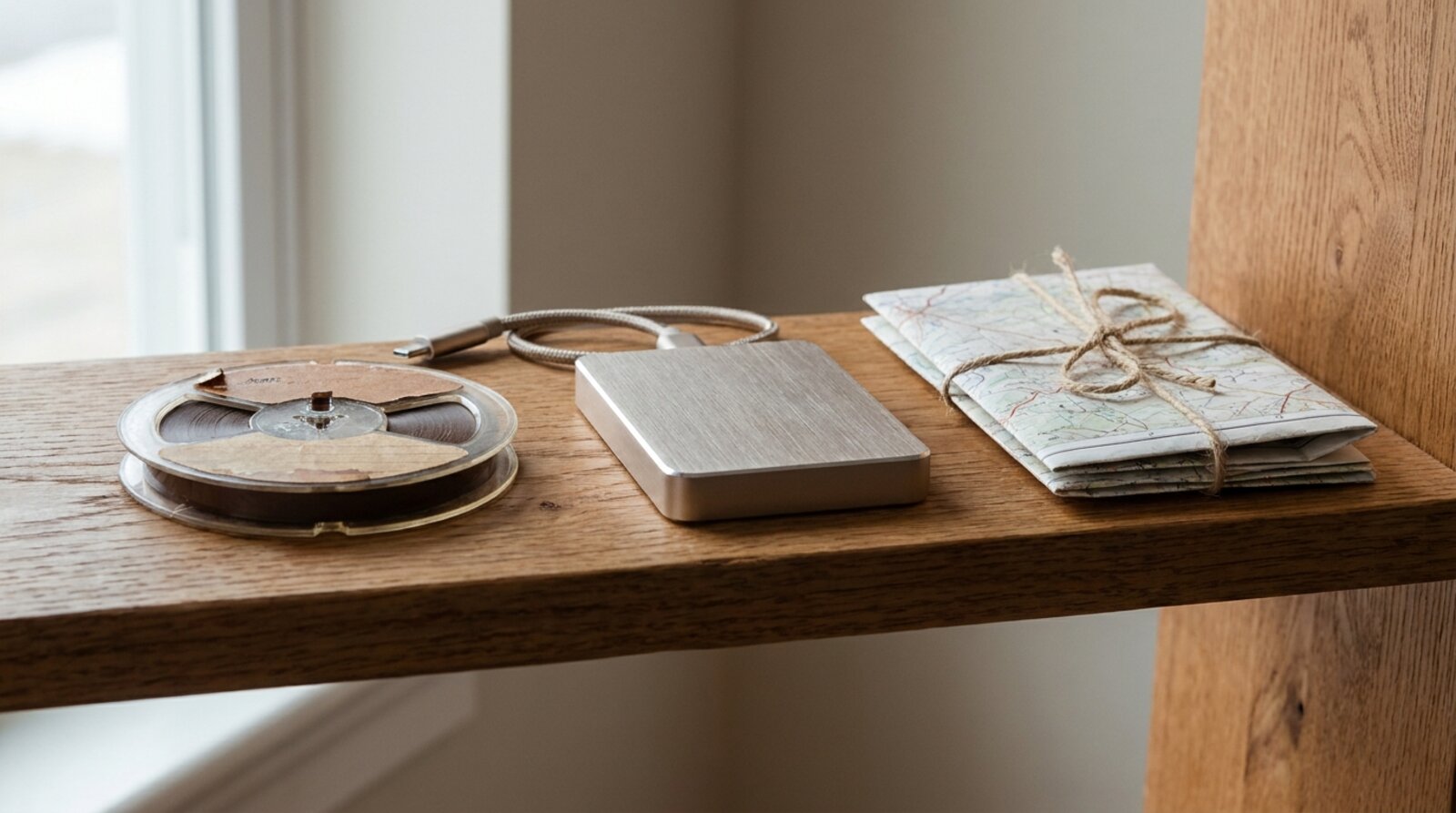
A backup architecture is a set of copies that fail independently. The 3-2-1 rule asks for three copies of the data, on two different kinds of storage, with one copy off site. In this fleet the mapping is:
| Copy | Mechanism | Storage | Location | Protects against |
|---|---|---|---|---|
| 1 | The working files | Internal SSD | Each machine | (the original) |
| 2 | Borg | External disk on the home server | Home | Disk failure, deletion, ransomware on a client |
| 3 | rclone cloud copies | Google Drive, iCloud Drive, OneDrive | Off site | Loss of the house, the server, or both |
| (+) | Time Machine | External SSD on the home server | Home | Full-system loss of the laptop |
Each mechanism answers a different question. Borg answers “what did this machine look like last Tuesday?” for every machine, with strong encryption and cheap history. The cloud copies answer “is there a copy of the projects somewhere other than this house?” Time Machine answers “how fast can the laptop be rebuilt exactly as it was?”
The tiers are deliberately unequal in scope. Borg covers the irreplaceable parts of every home directory, including secrets. The cloud copies cover only the project tree, because that is the material whose loss would be most costly and whose content is least sensitive. Time Machine covers one machine, completely, minus data that is regenerable or held elsewhere.
Prerequisites
- Borg 1.4 on every client and on the server (
brew install borgbackupon macOS; the distribution package or the standalone binary on Linux). - rclone 1.70 or later and
flock(brew install rclone flock) on the machines that run cloud copies, with an rclone remote configured for each provider. - A password manager that every client can read. This fleet uses
pass; see Setting Up pass. - A home server reachable at a stable address. This fleet uses Tailscale addresses for all scripted traffic; see A Home Server for a Five-Machine Research Fleet for the server itself.
- Full-disk encryption on every machine, so that the plaintext source of each backup is itself protected at rest.
Tier 1: Borg to the Home Server
Design
Each client writes to its own Borg repository on the home server: /srv/backup/julia, /srv/backup/athena, and so on. The home server in turn backs up its own home directory and the folders it serves to a repository on julia, so the server is never the only place its own data lives.
Three properties make this tier robust against a compromised client:
Encryption with a per-repository passphrase. Each repository uses Borg’s
repokeymode with its own passphrase. Every passphrase is stored inpass. The machine that physically holds a repository never holds its passphrase: the home server stores four clients’ archives and can decrypt none of them, and julia holds the server’s archive the same way.A restricted, append-only key per client. Each client pushes with a dedicated SSH key that is good for nothing else. On the server, that key is pinned to a forced command:
command="/usr/local/bin/borg serve --append-only \
  --restrict-to-repository /srv/backup/julia",restrict ssh-ed25519 \
  AAAA... borg-julia
(Wrapped here for width; in
authorized_keysit is one line.) Therestrictoption disables port forwarding, agent forwarding, and terminal allocation.--restrict-to-repositoryconfines the key to one repository.--append-onlymeans the key can add archives but cannot remove data already written. A thief or a piece of ransomware holding a client can write garbage into that client’s repository; it cannot delete last month’s archives.A separate SSH configuration for the backup. This one is easy to get wrong. A typical
~/.ssh/configalready has an entry for the server with a general-purpose key. SSH offers keys from the config entry first, andIdentityFileis cumulative, so passing-ior-o IdentityFile=on the command line does not displace the general key. If the general key is accepted, the forced command never applies and the backup runs with full shell rights. The backup script therefore points Borg at its own configuration file:# ~/.borg/ssh_config (used only through BORG_RSH -F) Host mercury HostName <tailscale-address> User <user> IdentityFile ~/.ssh/id_ed25519_borg_julia IdentitiesOnly yes UserKnownHostsFile ~/.ssh/known_hosts StrictHostKeyChecking yes BatchMode yesBatchMode yesmakes an unexpected prompt fail immediately rather than hang a scheduled run. The consequence of a second configuration file is that the server’s address now lives in two places on each machine, a point that mattered later (see What broke, and how it was found).
The backup script
One script, identical on all five machines, is driven entirely by files in ~/.borg/: the repository URL, the passphrase (mode 600), an include list, and an exclude list. The essential lines:
REPO=$(head -1 "$CONF/repo")
BORG_PASSPHRASE=$(cat "$CONF/passphrase")
export BORG_PASSPHRASE
export BORG_RSH="ssh -F $CONF/ssh_config -o ConnectTimeout=30"
# A differing URL makes borg ask an interactive question, which
# under a timer means a silent abort.
export BORG_RELOCATED_REPO_ACCESS_IS_OK=no

"$BORG" create \
  --stats --show-rc \
  --compression zstd,3 \
  --lock-wait 600 \
  --exclude-from "$CONF/exclude" \
  "$REPO::{hostname}-{now:%Y%m%d-%H%M%S}" \
  "${PATHS[@]}"
Three further details earn their place:
- Missing include paths are logged, not fatal. Each path in the include list is checked first. A path that does not exist, or that exists but cannot be listed, is skipped with a
WARNINGline. This keeps one stale entry from preventing the whole archive, but it creates its own risk: a partial archive still finishes with success. The first incident below is exactly this. - A watchdog. A background timer kills the run after four hours. The failure that motivated it was Borg blocked on a cloud file-provider read for over half an hour at nearly zero CPU, holding the repository lock and wedging every later run.
- No pruning from the client. Under
--append-only, a prune from the client only marks archives as deleted; space cannot be reclaimed. Retention runs on the server instead (below).
The script logs every run to ~/.borg/log/backup-<timestamp>.log, ending with a single line === exit N. Borg’s exit codes are meaningful: 0 is success, 1 is success with warnings (a file changed while being read; the archive is valid), 2 is an error. The script adds 3 for local misconfiguration.
What is included
The include list names directories explicitly rather than archiving the whole home directory: the project tree (~/prj), documents (~/docs), the dotfiles repository, and the secrets that exist nowhere else: .gnupg, .password-store, .aws, .Renviron, and .env files. The Linux laptop archives its whole home directory with excludes. Caches, package libraries (renv/library, node_modules, virtual environments), and build artifacts are excluded everywhere. So is the scratch folder (~/compute) that the two simulation hosts use for job runs: everything in it can be regenerated from a commit and the project’s data, and finished results are fetched back to the workstation that submitted the job, where the ordinary include list covers them. See Offloading R Simulations to a Home Server.
Including .gnupg and .password-store may look redundant, since the same key and vault exist on several machines and the vault has its own git history. The reason is that replication is not backup: an accidental deletion in the vault propagates to every machine at the next sync. A dated Borg archive is the copy that predates the mistake.
Scheduling
On the Macs a launchd user agent runs the script at a fixed time each night (02:00 on julia, staggered on the others so the server is not contended). On the Linux machines a systemd user timer does the same. Both hand the script a minimal PATH, which is why it locates the borg binary itself rather than trusting the login shell.
A Mac that is asleep at 02:00 runs the job at its next wake. If that wake is a brief maintenance wake on battery, the network may not be up yet, and the run fails on a connection timeout. A backup script should wait for, or retry, connectivity before declaring failure.
Retention
Without pruning, every repository grows without limit. The retention policy is:
borg prune --keep-daily 14 --keep-weekly 8 \
  --keep-monthly 12 --keep-yearly 3 "$REPO"
borg compact "$REPO"
Fourteen daily archives, eight weekly, twelve monthly, and three yearly: roughly two weeks of fine-grained history, a year of monthly checkpoints, and a few years of annual ones.
The policy runs manually, once a quarter, on the machine that holds each repository, not over the append-only path. This is a deliberate trade. Automating the prune would require each repository’s passphrase in a file on the storage host, which gives up the property that the server cannot decrypt what it stores. A small script, borg-prune, makes the manual step cheap and safe: it prompts for the passphrase (read from pass on a machine that already holds it), lists the archives, shows a dry run of what the policy would delete, requires typing YES, and only then prunes and compacts. The pass over all five repositories is a standing item in the quarterly audit described in the series overview.
In November 2026 the four client repositories on the server held about 90 GiB together, the largest 33 GiB. They were created in September, so the first quarterly pass falls in December and has not yet run. One practical gap surfaced while checking: borg-prune had been installed only on julia, so it must be copied to the server before that first pass.
Tier 2: Cloud Copies with rclone
Design
The two machines where most project work happens, julia and athena, each mirror ~/prj nightly to Google Drive, iCloud Drive, and a personal OneDrive account. joe and zeus have no cloud job; Borg covers them, and three copies of two machines’ projects are enough off-site redundancy. The same job also mirrors the password store (~/.password-store, without its git history) to each provider, so that the store has a copy outside the house to match the offline copy of the key that decrypts it.
The three providers do not work alike. Google Drive and OneDrive are rclone remotes, reached over their APIs, and a run spends most of its time listing folders. iCloud Drive is a local folder (~/Library/Mobile Documents/com~apple~CloudDocs) that macOS uploads in the background, so rclone’s part is a comparison between two folders on the same disk. A nightly iCloud run that compares about 22,000 files finishes in a few seconds, which is expected; whether iCloud has finished uploading is a separate question that rclone cannot answer.
Two decisions shape this tier:
- One destination per machine. Each machine syncs to its own folder, for example
backup/prj-juliaandbackup/prj-athena.rclone syncmakes the destination an exact mirror of the source, including deletions. When two machines mirrored their own slightly different copies of~/prjto the same folder, each run undid the other’s, and neither copy was ever complete. - Deleted files are kept, by date.
--backup-dirmoves anything the sync would delete or overwrite into a dated folder beside the mirror, so a file removed by mistake on Monday is still recoverable from the cloud on Friday.
The wrapper
All three targets go through one wrapper script, backup-remote, with a thin entry point per provider for launchd to call:
case "$target" in
  gdrive)
    dest="gdrive:backup/prj-$HOST"
    deleted="gdrive:backup/prj-${HOST}_deleted"
    lock=/tmp/rclone_gdrive.lock ;;
  # icloud and onedrive follow the same pattern
esac

# rclone sync mirrors an empty source faithfully; refuse to start.
if [ -z "$(ls -A "$PRJ_ROOT" 2>/dev/null)" ]; then
  echo "backup-remote: $target refused: $PRJ_ROOT is empty" >&2
  exit 3
fi

# -E 75: a held lock means an earlier run is still going. Without it
# flock exits 1 silently, and a skipped night looks like a failure.
rc=0
/opt/homebrew/bin/flock -n -E 75 "$lock" \
  /opt/homebrew/bin/rclone sync --links "$PRJ_ROOT" "$dest" \
  --retries 1 \
  --max-delete "${BACKUP_REMOTE_MAX_DELETE:-6000}" \
  --backup-dir "$deleted/$(date +%Y-%m-%d)" \
  --exclude "**/.cache/**" \
  --exclude "**/node_modules/**" \
  --exclude "**/.venv/**" \
  --exclude "**/renv/library/**" \
  "$@" || rc=$?

if [ "$rc" -eq 75 ]; then
  echo "$(date '+%Y/%m/%d %H:%M:%S') backup-remote: $target run" \
    "skipped: an earlier run still holds $lock" >&2
fi
exit "$rc"
The lock prevents two runs to the same destination from overlapping, which matters because the first upload to a provider can take many hours. The exit code 75 (EX_TEMPFAIL) makes a skipped run visible in launchctl list and leaves a dated line in the log. The full script also waits up to five minutes for the provider’s login host to answer before starting, puts a time limit on each run, and ends every run with a line backup-remote: <target> finished rc=N, because rclone itself writes nothing on a clean run.
Hazards of rclone sync
Cache directories. The excludes are not an optimization. One night’s Google Drive run went more than fifteen hours without finishing because it was uploading tens of thousands of small files from R package caches, which the provider deliberately throttles. The excludes now match the categories Borg already skips.
Symlinks and the deletion guard. The wrapper originally used -L, which follows symbolic links; the project tree uses them for shortcuts between repositories. If rclone hits any listing error during a run, it skips all deletions for that run as a safety measure, and logs not deleting files as there were IO errors. A single broken or self-referencing link anywhere in ~/prj therefore disabled deletion permanently and silently: files removed or renamed locally were never removed from the mirror, which grew without bound. A student repository containing a link that pointed to itself did exactly this on every machine that held it. Following links also copied every linked folder twice, since all of them pointed inside ~/prj.
Since November 2026 the wrapper uses --links instead, which stores each link as a small .rclonelink file and recreates it on restore. A loop can no longer stall a run. The trade is that a link pointing outside ~/prj is now stored as the link only, so its target needs some other backup. A scan for broken links remains cheap enough for the quarterly audit:
# Links that loop or point nowhere, under the backed-up tree.
find -L ~/prj -type l 2>/dev/null
Authorizations expire silently. In November the Google Drive authorizations on both Macs stopped working on the same night (invalid_grant), and the nightly jobs failed in seconds, for one night on julia and two on athena. Earlier in the month the same jobs had failed on a lapsed login (HTTP 401) and, on athena, on Google’s per-minute query quota (HTTP 403). The quota failures came from rclone’s built-in client identifier, which every rclone user shares; julia already used a dedicated one and athena did not. Each failure was recorded in launchd and in the log, and none was noticed for days. Authorizing each remote again fixed both, and the next scheduled runs succeeded. The common cause is not yet known. One candidate to rule out first: a Google Cloud OAuth client left in testing status issues refresh tokens that expire after seven days. A dead authorization is cheap to detect before the night’s run:
# Fails within seconds if the remote's authorization is gone.
rclone about gdrive: >/dev/null && echo ok
An empty source is mirrored faithfully. rclone sync makes the destination match the source, so an empty or half-empty ~/prj, from a failed restore or a mistaken move, would move the mirror into the dated _deleted folder and report success. The files would survive until the cleanup script deleted that folder for good, ninety days later. The wrapper now refuses to start when ~/prj is missing or empty, and caps deletions per run with --max-delete. rclone counts the moves that --backup-dir makes against the cap, and stops the run with exit code 7 when it is reached. The cap is set at about a quarter of the 22,000 files synced, since deliberate cleanups have removed up to 5,500 files in a night; a larger cleanup needs one manual run with the cap raised.
Manual runs leave no record. The wrapper writes to standard error, and only the launchd job redirects that to the log the daily check reads. A run started by hand to recover from a failure leaves the log showing the failure, and it prints nothing until rclone finishes, so it looks hung. Recovery runs should append to the same log: backup-remote gdrive 2>>~/Library/Logs/rclone-prj-gdrive.log.
Duplicate names on Google Drive. Google Drive allows two files with the same name in one folder; most file systems do not. rclone skips such duplicates with a notice, every night, and still exits 0. julia’s mirror carried several hundred of them in November. rclone dedupe resolves them, and its interactive mode shows each pair before acting.
Tier 3: Time Machine
Time Machine protects athena, the laptop, which is the machine most likely to be lost and the one where a full-system restore is most valuable. It backs up to a Samba share on the home server, on an external SSD. The server-side setup (the share, the disk, the firewall, and the binding problems that had to be solved) is described in A Home Server for a Five-Machine Research Fleet. This section covers policy.
Encryption is chosen once. Time Machine encrypts a network backup only if Encrypt Backup is selected at the moment the destination is added. The first attempt in this fleet was added without it and had written 258 GB before the omission was noticed; the only remedy was to remove the destination, delete the backup from the share, and start again. Generate the encryption password in the password manager first (pass generate), then paste it into the dialog, so it exists somewhere other than the backup’s own Keychain entry.
Exclusions follow the same logic as the other tiers. Back up what cannot be regenerated or recovered from elsewhere; skip the rest. On athena that means excluding:
~/Downloadsand caches;- Docker’s data (images rebuild from
Dockerfileandrenv.lock); - large vendor installations that their installer can restore;
- Messages attachments and previews, which Messages in iCloud already holds;
- the local copy of a server-held mail account;
- the Spotlight index, which rebuilds itself;
- the local copy of the cloud backup folder, which would otherwise be backed up twice.
/Applications and /Library stay in: with a minimal application set they are small, and they are what makes a restored system usable without reinstalling everything.
Exclusions are applied with tmutil, scripted so they can be reviewed and re-applied:
sudo tmutil addexclusion -p "$HOME/Downloads"
sudo tmutil addexclusion -p "$HOME/Library/Metadata/CoreSpotlight"
# -p records a fixed path. Check the result with:
defaults read /Library/Preferences/com.apple.TimeMachine SkipPaths
One trap: tmutil isexcluded reports a path as excluded if any parent is excluded. Once a parent such as /Library is included again, a script that relied on isexcluded to decide “already handled” will skip children that now need their own exclusion. Check the SkipPaths list or the item’s own exclusion attribute instead.
Exclusions in a mail account folder are per account. Excluding the whole Mail folder would have dropped a local “On My Mac” mailbox that held recovered messages existing nowhere else. Exclude only the folder of an account whose mail is held on its server.
Time Machine needs an awake client. In November athena’s hourly backups failed 14 times in one day. Pairing each failure with the nearest sleep or wake event in pmset -g log showed that all 14 fell within 41 seconds of one. On mains power the laptop was set to sleep after one minute idle (pmset -c sleep 1), so backups ran inside the brief dark wakes that Power Nap schedules, and the next sleep broke the SMB session to the share. The assertion backupd takes to prevent idle sleep does not stop the maintenance sleep that ends a dark wake. The fix was one line:
sudo pmset -c sleep 0   # on mains power, never sleep on idle
pmset -g | grep -E '^ *(sleep|powernap)'
Disabling sleep altogether (pmset -a disablesleep 1) was tried and reversed: it also keeps the machine awake with the lid closed, and a laptop carried in a bag must be able to sleep. The operating rule is instead that athena’s lid stays open while it sits at its desk. Power Nap was turned off as well, because with the lid closed it kept starting backups it could not finish, and one night of those cut-off writes left the backup image corrupt. The damaged image was set aside read-only for its history, and a fresh full backup started the next morning. The server contributed a smaller fault: its firewall was dropping the unicast Bonjour queries athena used to find the share (see part 6).
And an unlocked one. The sleep fix did not produce a completed backup. For two days every hourly run copied its data and then failed with result code 80, which backupd’s log names BACKUP_FAILED_DEVICE_LOCKED. Under macOS data protection some files cannot be read while the user session is locked, and one unreadable file fails the whole backup. Here there were 255 of them: cached Exchange calendar attachments (~/Library/Group Containers/group.com.apple.calendar/Attachments) and four Find My widget containers. An open lid keeps a Mac awake, not unlocked, so the operating rule did not help. The five folders were excluded with tmutil addexclusion, after checking that nothing in them was unique: every cached attachment belonged to an event on the Exchange server, and a sample opened from the server on two machines. Backups then completed every hour, including overnight with the screen locked.
The result code and the reason are both on the machine, though neither is shown in System Settings:
# Last result for each destination: 0 is success; 80 means files
# could not be read because the session was locked.
defaults read /Library/Preferences/com.apple.TimeMachine | grep RESULT
# The files that failed. zsh has a builtin named log; use the path.
/usr/bin/log show --last 2h --style compact \
  --predicate 'eventMessage BEGINSWITH "Failed to backup"'
Each fix exposed the next failure, and backupd reported only one at a time: sleep first, then the lock screen. That is why the control that matters for this tier is the staleness alert described under Monitoring, which catches any cause, including ones not yet found.
Restore Testing
A backup that has never been restored is a hypothesis. Each tier has a cheap test that belongs in the quarterly audit:
# Borg: list archives, verify repository consistency, and restore a
# known file into a scratch directory.
borg list "$REPO" | tail -3
borg check --repository-only "$REPO"
mkdir -p /tmp/restore-test && cd /tmp/restore-test
borg extract "$REPO::julia-20261001-020000" Users/me/docs/notes.md- Borg. Pick a file that changed recently, restore it from the latest archive and from one a month old, and compare. Run
borg checkon each repository at least quarterly; a fullborg check --verify-datareads every chunk and is worth an occasional overnight run. - Cloud copies. Download a recently modified file from each provider and compare its checksum with the local file. Restore one file from a dated
_deletedfolder to confirm--backup-diris working. - Time Machine. Restore a file through the Time Machine browser. Before trusting the share for a bare-metal restore, restore a whole machine onto a spare disk once.
The archive name in the example is illustrative; use borg list to find a real one. Restores need the passphrase, so the test also confirms that the passphrase in pass still opens the repository.
Monitoring
When this post was first written there was no alerting in this fleet. There is now some, and the gaps in it are instructive:
- Borg alerts on failure. Since October the backup script sends a push notification through ntfy when a run ends with an error or is aborted. The topic name is the only credential, so it is kept in a file outside the script and out of version control.
- Time Machine alerts on staleness. A small script, run daily at noon by launchd, reads the completion dates backupd records in its preferences file and sends a notification when the newest is more than 26 hours old. It reads the preferences rather than calling
tmutil latestbackup, which returns nothing while the network destination is unmounted, and that is most of the time. A staleness check catches failures that report no error at all, which is why it, rather than a failure hook, suits this tier. - The cloud copies do not alert. They were the tier that failed most in November, for the reasons above.
The practice that covers the rest is a short daily check of every job’s last exit status and the freshness of its log, on every machine, including the Linux ones:
# macOS: the second column is the last exit status.
launchctl list | grep -E 'borg|rclone'

# Linux: the result of the last timer run.
systemctl --user show -p Result,ExecMainStatus borg-backup.service

# Either: the newest Borg log and its final lines.
f=$(ls -t ~/.borg/log/backup-*.log | head -1)
echo "$f"; grep -E '^=== ' "$f" | tail -2
A status of 0 everywhere and a log dated today is the whole check. Anything else gets read. The useful property of launchd’s exit status column is that it already recorded every failure described below; nobody was looking at it. Extending the alerts to the cloud copies, so that a non-zero status or a stale log there also produces a message, is the most valuable improvement left in the design.
What broke, and how it was found
Every incident below was found by reading logs or exit statuses, most during the first quarterly audit and the rest in a review of the backups in November 2026. They are grouped by the lesson they teach.
A partial backup looks like a successful one
- Coverage loss when a folder moved. The Borg include lists on the Macs reached
~/prj,~/docs, and a shared utilities folder indirectly, through the old sync folder they had once been symlinked into. When the sync client was uninstalled, that folder vanished, and every nightly run skipped all three paths with a one-line warning and finished with success. Archives shrank from roughly 68,000 to 88,000 files per machine to about 24,000. The include lists now name the directories directly. See Migrating Off Dropbox for the migration that caused it. - Secrets that were never included. A review of the home directory found
.env,.Renviron, and.awsin no backup at all. They were added, along with.gnupgand.password-store.
A job can fail every night without anyone noticing
- A job that never ran. A newly added OneDrive job on julia called a script through
~/bin, a folder of links into the dotfiles repository, and the two new links had never been created. launchd recorded exit status 78 (program not found) every night. - A job silently unloaded. After a restart, julia’s Borg agent was no longer loaded in launchd. The job file was intact; the job simply was not scheduled. It was loaded again with
launchctl bootstrap. - Invisible skips. Before the
-E 75change, a cloud run that found the lock held exited 1 and wrote nothing, indistinguishable from a real failure. julia’s Google Drive copy skipped three nights this way while a long manual run held the lock. - Three weeks without a laptop backup (November 2026). athena completed no Time Machine backup between mid-October and early November, a gap of 21 days, and nothing reported it. It came to light in a review of the backup history in November.
- Expired cloud authorizations (November 2026). The Google Drive jobs on both Macs failed for one and two nights on revoked or expired authorizations, after earlier nights lost to a lapsed login and a query quota. Described under Tier 2.
The network is part of the backup
- An address change broke Borg on three machines. The home server rebooted and received new LAN addresses from the router. athena, joe, and zeus still pointed at the old address, and their Borg runs failed with connection timeouts for several nights. julia was unaffected because it already used the server’s Tailscale address. The first fix updated
~/.ssh/configand the runs still failed, because the Borg script reads its own~/.borg/ssh_config. The Linux laptop was found a day after the Macs, because the first status check covered only the Macs. All machines now use the Tailscale address in both files. Before trusting the new address, each machine confirmed that the server’s host key matched the key previously recorded for the old one. - A night without DNS (November 2026). launchd starts a missed job the moment a Mac wakes. On one night both Macs woke for the 02:00 Google Drive job before name resolution was working, and both runs failed in seconds with
no such host. The wrapper now waits up to five minutes for the provider’s login host to answer. - A firewall that hid the share (November 2026). The server’s firewall dropped the unicast Bonjour queries that Time Machine uses to find its destination, and athena logged over a hundred failed lookups. One firewall rule fixed it.
A fix can expose the next failure
- Sleep, then the lock screen (November 2026). Fixing athena’s sleep timer did not produce a completed Time Machine backup; it revealed a second, unrelated failure that backupd had been unable to report while the first one ended every run. See Tier 3.
A fix needs checking on every machine it touches
- The lock fix broke another machine. The
-E 75change callsflockat its Homebrew path. joe had never installed it, so every cloud run there now stopped immediately. Installing it revealed that joe had never had rclone or a remote configured either: its cloud jobs had been installed by a setup script and could never have worked. They were removed. The script would be sturdier if a missing lock tool produced a warning and an unlocked run. - Symlink loops. Removing the self-referencing link on one machine fixed that machine. The same link existed in the same repository on two others.
Settings chosen once cannot be changed later
- The unencrypted Time Machine backup. Described above: encryption must be selected when the destination is added.
Things to Watch Out For
- Two SSH configurations, one address. If the Borg script uses its own SSH config, any change to the server’s address or key must be made in both files on every machine.
- A general key in
~/.ssh/configdefeats a restricted key unless the backup usesssh -FwithIdentitiesOnly yes. --append-onlymeans prune from the server. A client-side prune appears to succeed and reclaims nothing.- Borg’s exit code 1 is not a failure, and a missing include path is not an error. Read the
WARNINGlines, not just the exit code. rclone sync -Land broken links. One listing error disables deletions for the run. Prefer--links; if links must be followed, scan for loops before moving or uninstalling anything under the backed-up tree.- Never point two machines at the same
rclone syncdestination. - Time Machine encryption is a setup-time choice.
tmutil isexcludedfollows parents. CheckSkipPathsinstead.- Scheduled jobs can disappear. Check that every agent or timer is still loaded, not only that its last run succeeded.
- A Mac’s night job may run in a dark wake without a network. Wait or retry before failing.
- Time Machine on a laptop needs it awake. Check the sleep timer on mains power (
pmset -g) and Power Nap; a one-minute timer puts backups inside dark wakes that end mid-run. - …and unlocked. Files under data protection fail the whole backup while the session is locked. Read the
RESULTcode and backupd’s log, and exclude protected caches whose originals live on a server, after checking that they do. - Cloud authorizations expire without warning.
rclone about <remote>:is a one-second test of whether a remote still works. rclone syncmirrors an empty source. Refuse to start on an empty source, and cap deletions with--max-delete.- Google Drive permits duplicate names. rclone skips them and still reports success;
rclone deduperesolves them.
What Did We Learn?
Lessons Learned
- Independent tiers fail independently, but they also fail silently. Three mechanisms gave real redundancy; it was luck, not design, that no data was lost while one tier or another was broken.
- Success status is not coverage. Archive file counts, log warnings, and destination sizes say more about a backup than its exit code.
- Separation of keys is cheap and effective. Per-host repositories, restricted append-only keys, and passphrases kept off the storage host mean that no single machine can destroy or read the whole fleet’s history.
- Manual retention is an acceptable price for keeping decryption keys off the server, provided it is on a schedule.
- Stable addressing belongs to the backup design. Scripted traffic should use addresses that do not change when a router reassigns a lease.
- A backup reports one failure at a time. Each fix to athena’s Time Machine uncovered the next fault. An alert on staleness, which fires whatever the cause, is worth more than any single fix.
Limitations
- Alerting is partial. Borg failures and a stale Time Machine backup produce a notification; a failing cloud copy still depends on someone running the daily check.
- The cloud tier covers only the project tree of two machines. The remaining home-directory content of every machine has two copies (the original and Borg), both in the same house, plus Time Machine for the laptop.
- The Borg repositories and the Time Machine share sit on the same server. A fire or theft at home leaves the cloud copies of the project tree as the only surviving tier.
- Restores are tested file by file; a full bare-metal restore is the test that matters most and the one least often performed.
- rclone’s default Google Drive client identifier is shared and throttled; a dedicated API client is the durable configuration. julia has one; athena does not yet.
- The cloud copies of the password store keep every entry encrypted, but the file names, which name the accounts, are readable by the provider.
- Laptop backups depend on an operating rule (lid open at the desk), not on configuration alone.
Opportunities for Improvement
- A daily monitoring job that reports any non-zero exit status, any unloaded agent, or any log older than a day, starting with the cloud copies, which have no alert at all.
- Connectivity checks with retry at the start of each backup script. The cloud jobs now wait for the network; the Borg script does not.
- An off-site copy of the Borg repositories themselves, which would close the single-site limitation for the whole fleet. At about 90 GiB and growing nightly, the repositories would nearly fill the free space on the fleet’s Google Drive account, so the candidate is a dedicated Borg host that supports append-only keys. No choice has been made.
- A scripted quarterly restore drill that extracts a fixed sample of files from each tier and compares checksums.
- The
flockdependency made optional, so a missing lock tool degrades to a warning. - An encrypted rclone remote (
crypt) for the password-store copy, which would hide its file names from the provider.
Wrapping Up
The architecture is simple to state: Borg nightly to a home server through keys that cannot delete, cloud copies of the projects with a history of deletions, and an encrypted Time Machine share for the laptop. The hard part was never the design. It was noticing, without any alert, that a tier had stopped working.
Main takeaways:
- Give every client its own repository, passphrase, and restricted append-only key, and keep passphrases off the storage host.
- Use
ssh -Fwith a dedicated configuration so the restricted key is the one actually offered. - Give each machine its own cloud destination and keep deleted files with
--backup-dir. - Choose Time Machine encryption when adding the destination; it cannot be added later.
- Check every job’s exit status on every machine daily, and restore from every tier quarterly.
- Alert on staleness as well as on failure; a backup that stops without an error is the kind that goes unnoticed longest.
See Also
Security series:
- Security Foundations for a Multi-Machine Research Fleet
- Setting Up pass: a Unix Password Manager
- Secrets Management for the Workflow Construct
- Migrating Off Dropbox: Beyond Dotfiles
- Research Backup Architecture: Borg, Cloud Copies, and Time Machine (this post)
- A Home Server for a Five-Machine Research Fleet
- Object Storage for Research Data: The Layer Git Cannot Hold
- Running the Quarterly Security Audit for the First Time: What Actually Broke
- Finding Why a Backup Fails: Correlating Logs Across Sleep, Locks, and Networks
External references:
- Borg documentation:
borg serve,--append-only, andprune. - rclone sync and the
--backup-dirflag. - Samba
vfs_fruit: the module that serves Time Machine. tmutilmanual page.
Reproducibility
The configuration excerpts are trimmed from the scripts in use on 2026-10-01, updated on 2026-11-16; account names, addresses, and some excludes are replaced or omitted.
| Component | Version |
|---|---|
| macOS | 26.6 |
| Linux Mint | 22.3 |
| Borg | 1.4.5 |
| rclone | 1.75 |
| flock (Homebrew) | 0.4.0 |
| Samba (server) | 4.19 with vfs_fruit |
The restore commands in the Restore Testing section use an illustrative archive name and path; substitute a real archive from borg list. Commands that require sudo are marked as such.
Rendered on 2026-11-16 at 08:54 PST.
Source: ~/prj/web/ryyblog/posts/sec-three-tier-backup-architecture/analysis/report/index.qmd
Let’s Connect
Questions, suggestions, or corrections are welcome.
- GitHub: rgt47
- Twitter/X: @rgt47
- LinkedIn: Ronald Glenn Thomas
- Email: Contact form
I would like to hear from you if:
- You find an error, or a better approach to anything in this series.
- You run a small research fleet and have found where this design breaks.
- You want to compare notes on backups, secrets, or reproducible research infrastructure.